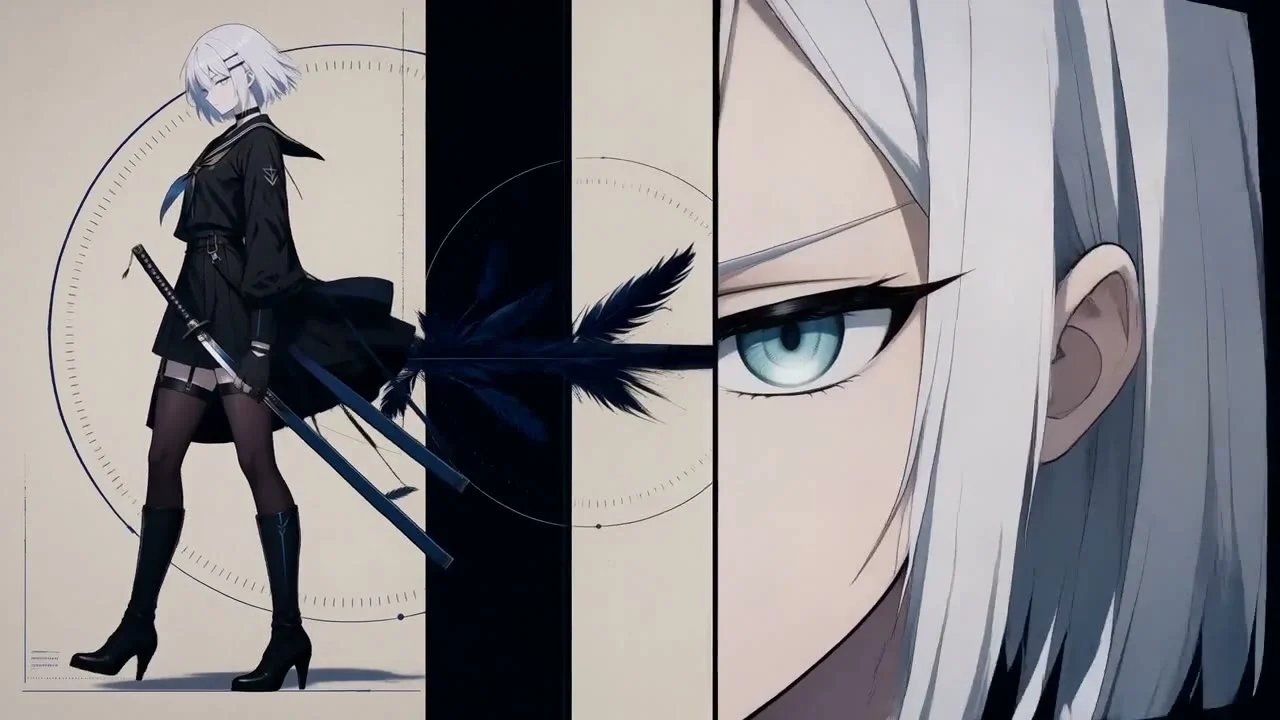
What to look for in this reference
01
Create order with a limited palette
The reference contrasts black-and-white shapes with blue lines. Once a small palette is chosen, vary the size and placement of colors to establish hierarchy.
02
Keep the character’s outline clear
A busy background can swallow the subject. Check that the character’s edges remain recognizable before adding texture and decoration.
03
Separate the elements you will change
If titles, keywords or background lines will change often, keep them as editable graphic layers where possible. This can reduce the need to generate the whole clip again.
Plan a similar production with Hypit
This is a suggested approach. Execution depends on your assets, model services and project environment.
- Create references for the palette and line style, and define how the subject relates to the background.
- Decide which images need generation and which text or graphics can be composed directly.
- Accept the main assets first, then arrange graphics, captions and shot timing in Hypit.
- Try a version with a different title and check whether longer text changes the layout.
Give your agent this brief
Prepare your own assets and adapt the product, aspect ratio and budget. The brief asks for approval before paid generation.
/hypit Create a graphic short for my subject, using the attached reference’s black-and-white silhouettes and limited accent color without copying its character. First propose a palette, subject silhouette and background graphics. Keep titles and keywords that may change as separate layers. Do not regenerate elements that can be handled through composition. Organize the work in Hypit and submit a cost estimate before paid operations. Finally, check how the layout responds to different text lengths.